How to Install APK / MOD on Android?
Installing an APK file outside the Google Play Store is very simple. Just follow these easy steps below to securely install games and apps on your device.
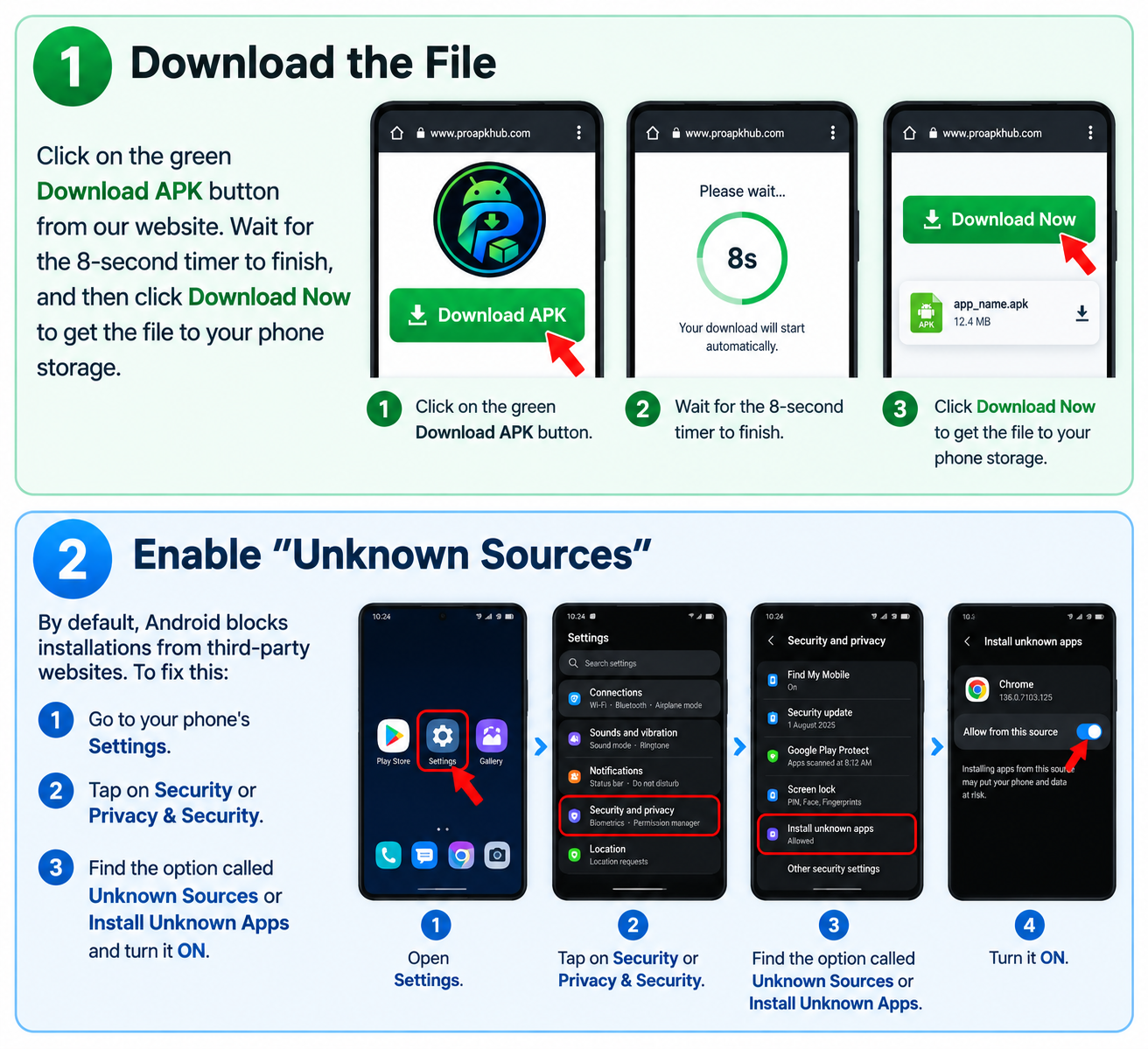
Step 1: Download the File
Click on the green Download APK button from our website. Wait for the 8-second timer to finish, and then click Download Now to get the file to your phone storage.
Step 2: Enable "Unknown Sources"
By default, Android blocks installations from third-party websites. To fix this:
- Go to your phone's Settings.
- Tap on Security or Privacy & Security.
- Find the option called Unknown Sources or Install Unknown Apps and turn it ON.
Step 3: Install the APK
Open your phone's File Manager or Downloads folder. Tap on the APK file you just downloaded. A popup will appear, click on Install and wait a few seconds.
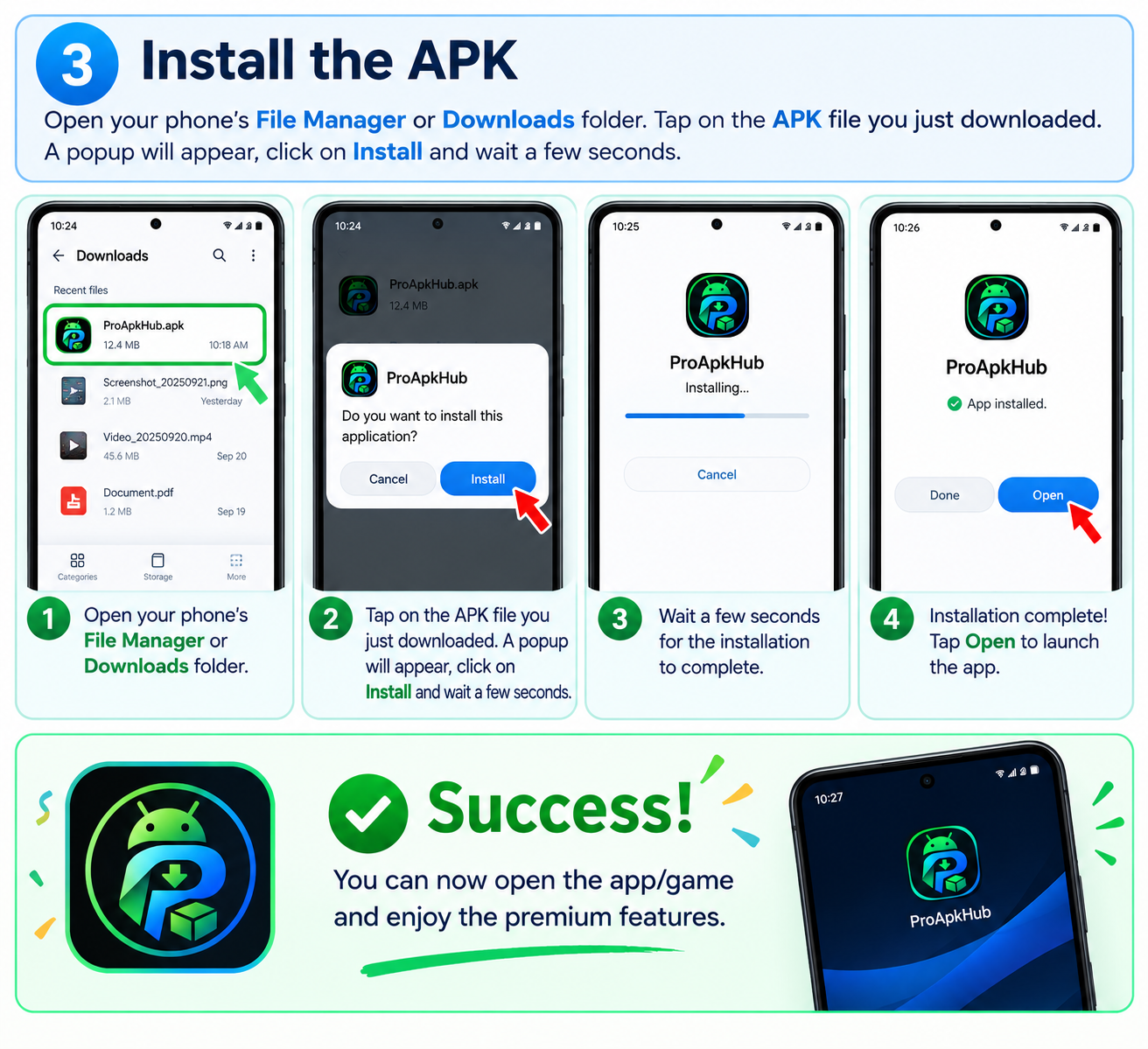
Success! You can now open the app/game and enjoy the premium features.